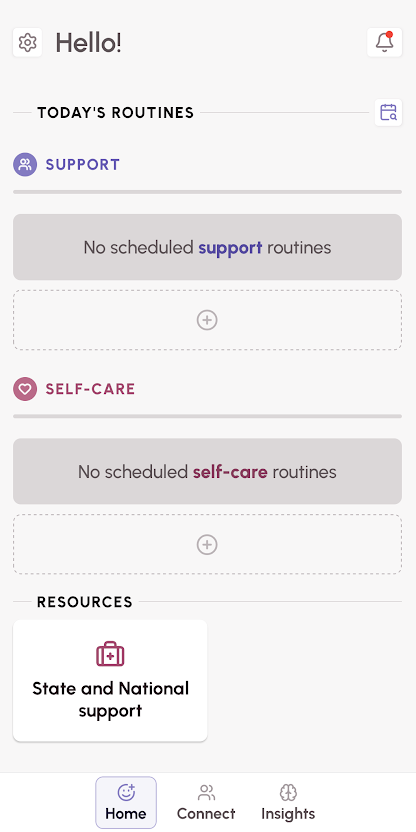
After swiping up on the daily quote when opening the app, or when tapping the 'Home' button at the bottom of the screen, you be taken to the Home screen.
Home includes the following features:
NOTE: More information on each feature can be found by tapping the links below.
- App Settings: The gear icon in the upper left accesses app settings, where you can update account information, contact support, etc.
- Today's Routines: Where you view, create, update and check into your scheduled routines
- Resources: A section of WEconnect generated articles to help you connect with additional support resources for your state.
Was this article helpful?
That’s Great!
Thank you for your feedback
Sorry! We couldn't be helpful
Thank you for your feedback
Feedback sent
We appreciate your effort and will try to fix the article