This section of the Home screen provides a quick view into the routines that you have scheduled and/or completed for the current day. It is also where you add new routines or edit details for existing routines.
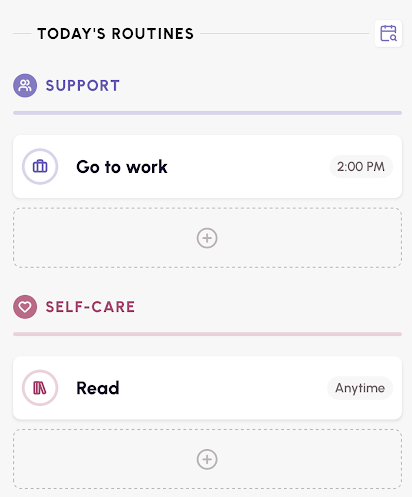
NOTE: You can tap the calendar icon to view/edit or add routines for a future date.
Routines that you have checked into for the day will show with a green circle and checkmark if they were completed on time (and in the correct location for support routines). If you check into a support routine at the incorrect time or location, the check-in will show with an orange circle and checkmark.
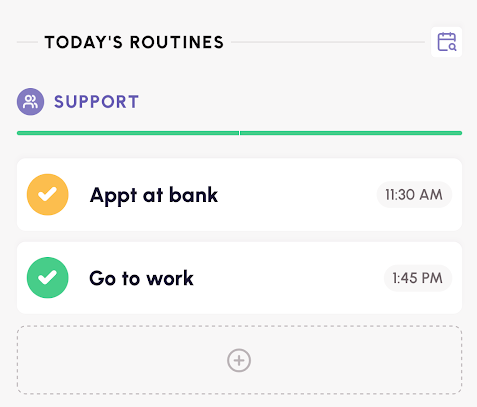
To check-in to your scheduled routines, tap on the routine, and then tap the green check mark to record the check-in.
If you'd like to create additional routines, use the '+' button under the routine type you wish to add. For more information on creating Routines, click here.
Was this article helpful?
That’s Great!
Thank you for your feedback
Sorry! We couldn't be helpful
Thank you for your feedback
Feedback sent
We appreciate your effort and will try to fix the article